
Your Inserts
Create a new insert or continue where you left off.
No inserts yet
Recently Deleted
Inserts remain here before being permanently deleted.
No recently deleted inserts.
Your Cart
Checkout
Order submitted
Your Cribbit order reference is .
We will email your invoice for this total to within 5 business days.
No payment has been taken. Production begins after payment.
Your Orders
View your order history and details.
No orders yet
Submitted Orders will appear here
Order Summary
Cribbit order reference
These previews and prices are frozen as submitted. Editing an insert later, or ordering it again, does not change this order.
For any inquiries about your orders, contact orders@cribbit.app.
Drawer Dimensions
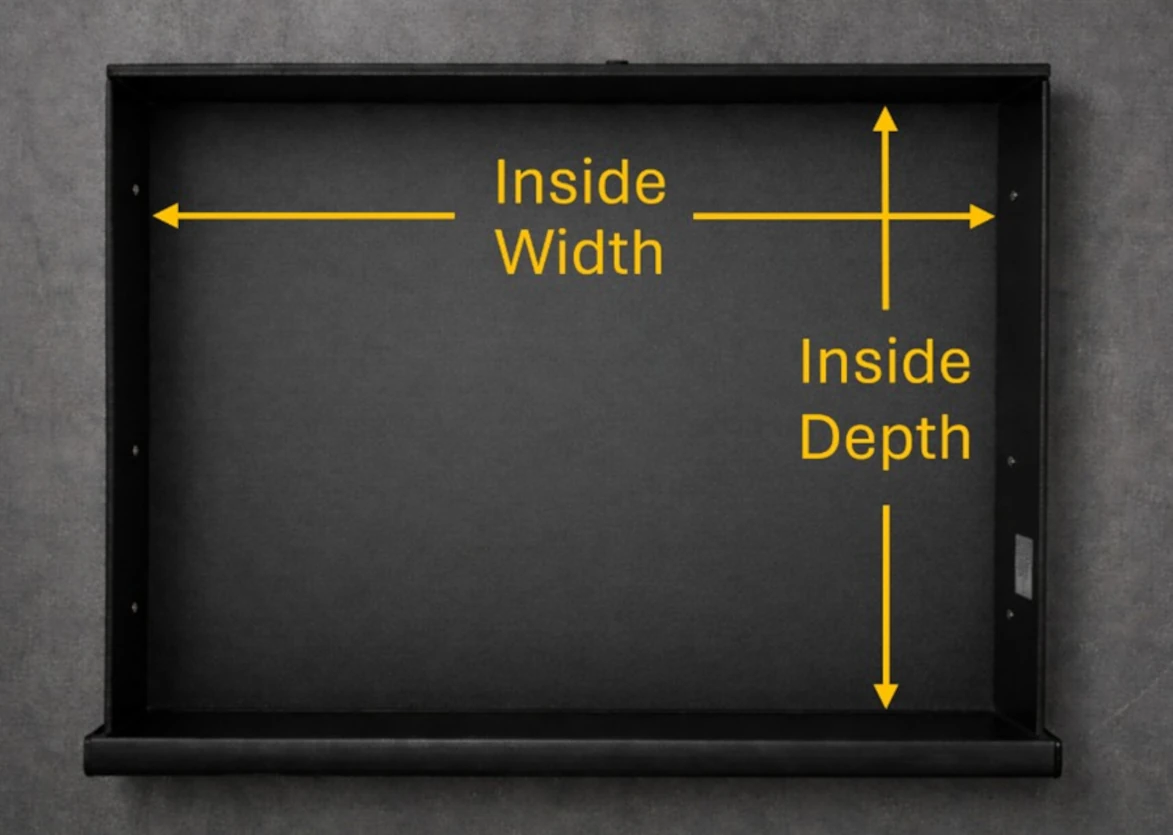
Enter inside dimensions in decimal inches, e.g. 18.625.
Drawer Photo
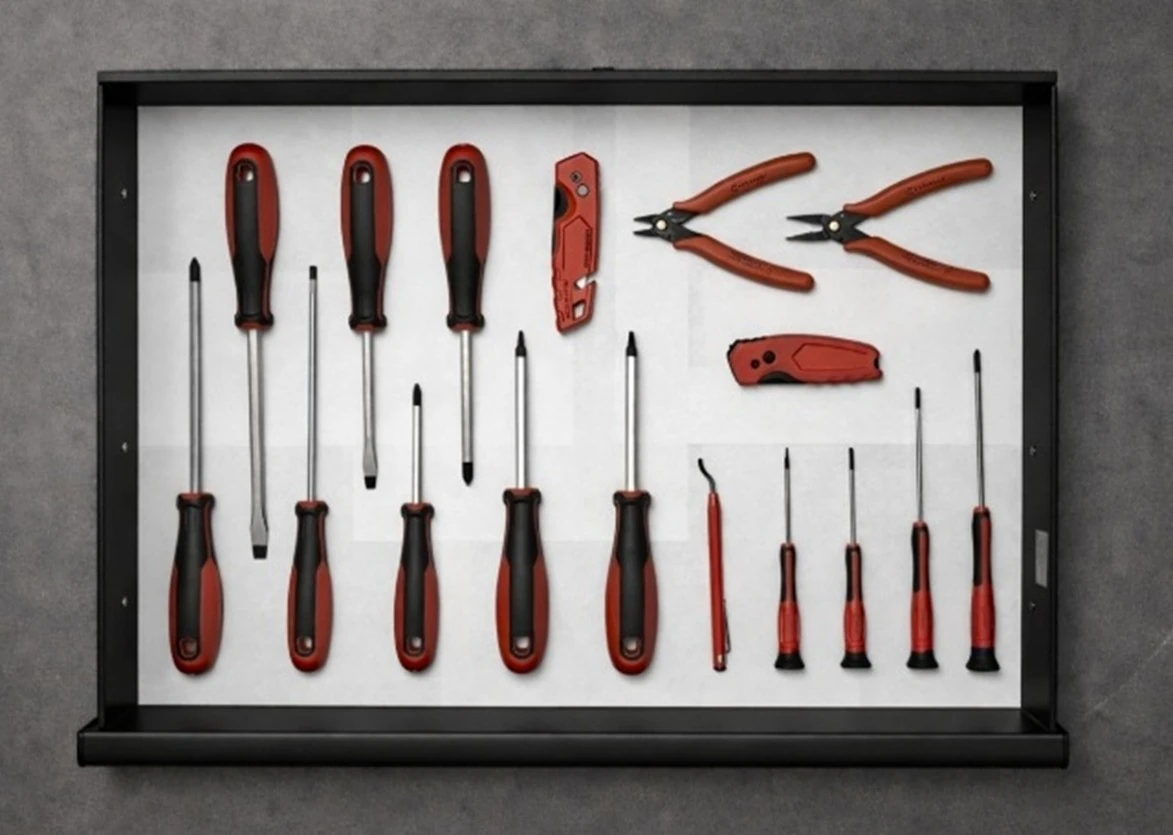
Upload a top-down drawer photo with your tools
arranged how you want them.
No photo
selected
No image
Detecting objects…
Edit Outlines Controls
| Action | Description | Shortcut / Control | |
|---|---|---|---|
| Edit Areas | Click included areas to remove them Click excluded areas to add them |
A | |
| Brush |
Paint areas that should be included
Temporarily erase
|
B
Right click/drag
|
|
| Eraser |
Erase areas that should not be included
Temporarily paint
|
E
Right click/drag
|
|
| Freehand | Drag to draw freely with the Brush or Eraser | F | |
| Straight Line | Draw straight lines with the Brush or Eraser | L or Hold Shift | |
| Tool Size | Change the diameter used by the Brush and Eraser | Alt + scroll wheel | |
| Hide Visuals | Hide colored areas and outlines to view the original photo | Hold H | |
| Zoom | Zoom in or out of the workspace | Scroll wheel | |
| Pan | Move around the workspace | Hold space + left-drag | |
| Rotate Insert | Turn the insert a quarter turn clockwise, to match how it sits in your drawer. Downloads and orders come out this way round. | Toolbar button | |
Define Drawer Controls
| Action | Description | Shortcut / Control |
|---|---|---|
| Move Corner | Drag a corner handle to reposition it | Left-drag |
| Quick-place corner | Move the highlighted corner handle to the clicked point | Hold C + click |
| Zoom | Zoom in or out of the workspace | Scroll wheel |
| Pan | Move around the workspace | Hold space + left-drag |
Layout Editor Controls
| Action | Description | Shortcut / Control | |
|---|---|---|---|
| Select |
Select, move, rotate, resize, or edit items
Add/remove items
from selection
Drag a selection box
around items
|
V
Shift + click
Left-drag blank
canvas
|
|
| Finger Notch | Add finger-grip cutouts | N | |
| Text |
Add engraving text box
Edit existing text
box
|
T
Double-click text
box
|
|
| Rectangle |
Add rectangular cutout
Add square cutout
|
R
Hold Shift while
drawing
|
|
| Ellipse |
Add elliptical cutout
Add circular cutout
|
O
Hold Shift while
drawing
|
|
| Delete | Delete selected items | Delete / Backspace | |
| Zoom | Zoom in or out of the workspace | Scroll wheel | |
| Pan | Move around the workspace | Hold space + left-drag | |
| Precision | Constrain movement, snap rotation, align finger notch, or preserve proportions while resizing | Hold Shift while dragging | |
| Rotate Insert | Turn the insert a quarter turn clockwise, to match how it sits in your drawer. Downloads and orders come out this way round. | Toolbar button | |